

The best gaming room ideas start with the room you already have, not the room in the catalog photo. Pick your space type, pick a budget band, then commit to one look and one anchor piece of wall art instead of buying a little of everything. Do it in that order and a bedroom corner under 90 square feet costs about $150 to transform, a spare room about $300, and a basement lounge about $700 excluding hardware. Below are 15 setups, grouped by the space you have, the mood you want, what you actually play, and what you can spend. Every one of them is built to read as yours rather than as a showroom.
In this article
- Setups for the space you have
- Setups by the mood you want
- Setups built around what you play
- Setups by budget and stage
- What makes a gaming room read as yours
- The real problem with most gaming rooms
- Frequently asked questions
Which gaming room ideas work in the space you actually have?
Space type decides more than taste does. A bedroom corner and a basement need different layouts, different lighting and different amounts of restraint, and the mistake most people make is copying a setup built for a room three times the size of theirs. Start with square footage, then work out how much wall you own, then decide what goes on it. These five setups cover the spaces most gaming rooms actually happen in.
| Space type | Typical size | Desk and clearance | Anchor art size | Realistic decor spend |
|---|---|---|---|---|
| Bedroom corner | 40 to 90 sq ft of usable area | 40 to 48 in desk, 30 in behind the chair | 18x24 in | $120 to $180 |
| Spare room or home office | 90 to 150 sq ft | 55 to 60 in desk, 36 in behind the chair | 24x36 in | $250 to $400 |
| Basement or garage | 150 to 300 sq ft | 60 in desk plus a 7 ft seating zone | Three to five 18x24 in | $500 to $800 |
| Shared living room | Whatever the sofa is not using | 48 in desk, 8 to 10 ft screen viewing distance | 24x36 in | $150 to $300 |
| Closet or alcove | 6 to 15 sq ft of footprint | Wall-mounted 36 in shelf desk | 11x14 or 12x16 in | $80 to $150 |
1. The bedroom corner that stops looking like a bedroom corner
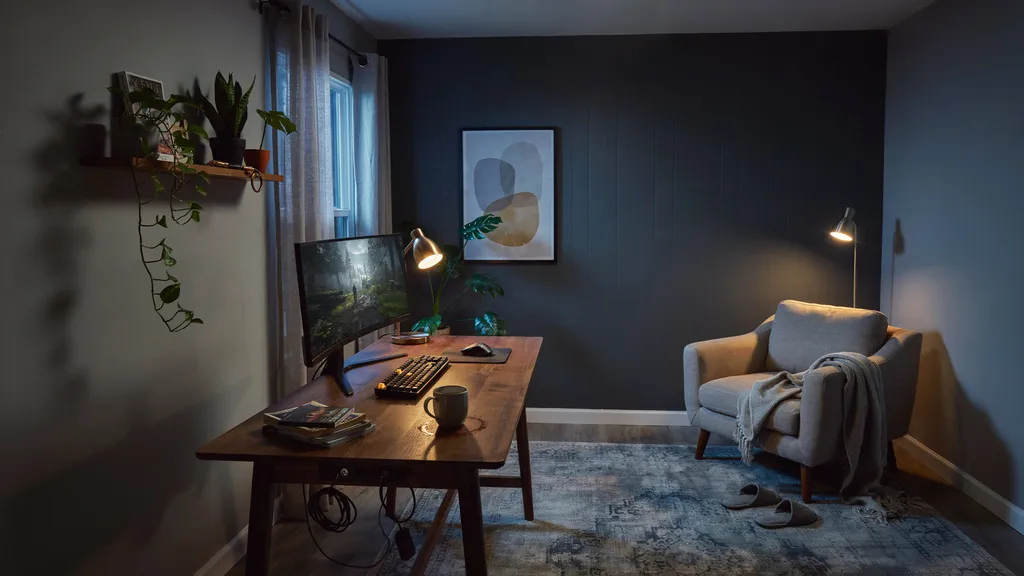
The goal here is separation: the corner should read as its own place, not as furniture that wandered in. Three moves do it. Turn the desk so it faces into the room or sits perpendicular to the window rather than pushed flat against a wall. Paint or panel only that corner in a deeper tone so it visually detaches from the bedroom. Then hang one 18x24 inch print with its center 57 to 60 inches off the floor, which is the gallery standard and puts the middle of the piece at standing eye level. Leave 8 to 10 inches of clear wall between the art and the desk surface. Total cost, around $150.
2. The spare room single player studio
A room between 90 and 150 square feet is the sweet spot, and the temptation is to fill it. Do not. Build one primary zone and one secondary zone: the desk wall, and a single chair or floor cushion facing it at an angle. A 55 to 60 inch desk with 36 inches of clearance behind the chair is enough for a full day without feeling boxed in. Put a 24x36 inch anchor piece above the desk, two slim shelves on the adjacent wall, and nothing at all on the wall behind you. The empty wall is what keeps the room feeling like a studio instead of a storage unit.
3. The basement lounge built for two screens
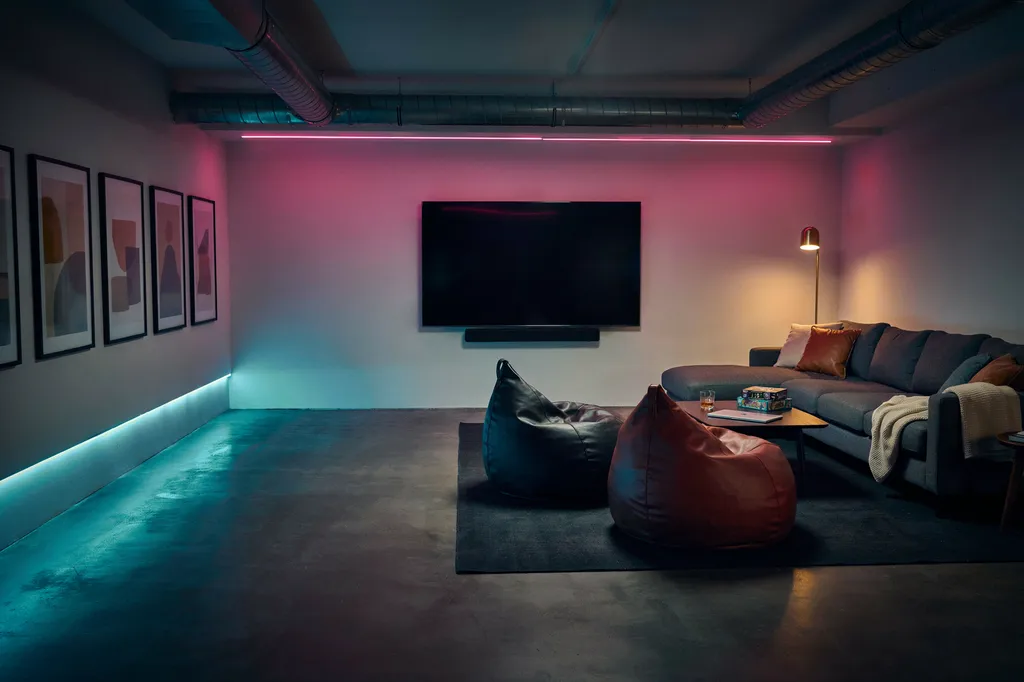
Basements and garages give you a rare thing: enough space for a desk setup and a couch setup that do not fight each other. Split the room across its long axis. Desk and monitor on one end, wall-mounted screen and seating on the other, with 8 to 10 feet between couch and screen. Because basement ceilings are low and often lit by a single harsh fixture, floor and table lamps matter more here than anywhere else. Run a row of three to five 18x24 inch prints along the side wall at a consistent center height to give the long span some rhythm.
4. The living room setup that passes the housemate test
A shared room needs a setup that looks intentional to someone who does not play. That rules out cable spaghetti and a color-cycling light strip, and it rules in matched materials. Pick a desk in a wood tone already present in the room, keep the hardware to one visual family, and hide the tower. Then hang one 24x36 inch piece that is genuinely good art first and gaming art second. This is the setup where restraint buys you territory: the tidier and more considered it looks, the less anyone argues about it occupying the corner.
5. The closet and alcove build
A closet with the doors off, a stair alcove, or a dormer nook will hold a working setup in 6 to 15 square feet. Wall-mount a 36 inch shelf at 29 to 30 inches high as the desk, put a second shelf 14 inches above it, and run a single power strip up the back corner. Because there is no floor to lose, everything hinges on the vertical: one 11x14 or 12x16 inch print at the back, warm light clipped to the upper shelf, nothing else. Our full breakdown of tight spaces is here: small gaming room ideas.
What gaming room aesthetic should you commit to?
Pick one and stay with it. Most rooms that feel unfinished are not underfurnished, they are running three aesthetics at once: neon light strips, cozy blankets and a minimalist desk in the same 100 square feet. Each of the four below has its own color rule, its own lighting temperature and its own art density. If you are torn between them, we compared the three most common head to head in the gaming room aesthetic guide.
6. The neon arcade wall
Neon works when it is a light source, not a coating. Pick two colors, magenta and teal for example, put them on one wall only, and keep every other light in the room warm and static. Aim the color at a surface rather than at your eyes, so it reflects instead of glaring. The art carries the rest: high-contrast arcade-era prints with saturated grounds hold up under colored light where soft pastel work washes out completely. One large piece washed in magenta beats six small ones fighting the strip for attention.

Arcade-era contrast that survives colored light instead of washing out under it. Built to be the thing the magenta lands on.
7. The cozy corner
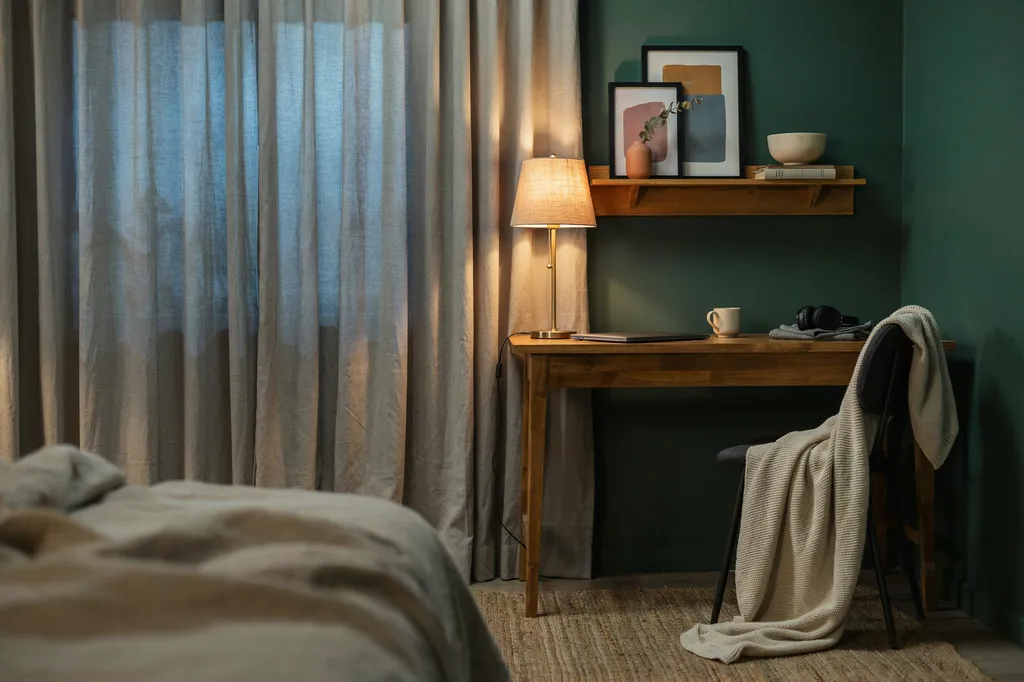
Cozy is a lighting decision before it is a textile decision. Three low sources at 2700K, none of them overhead, plus one warm bias light behind the monitor to cut the contrast between a bright screen and a dark wall. The American Optometric Association makes the same basic point about glare and lower-wattage lighting, alongside the 20-20-20 habit for long sessions. Then add texture in threes: a blanket, a rug, one plant. Art here should be warm-ground and painterly rather than high contrast, so it recedes into the room instead of shouting at it.
8. The minimal grown-up setup
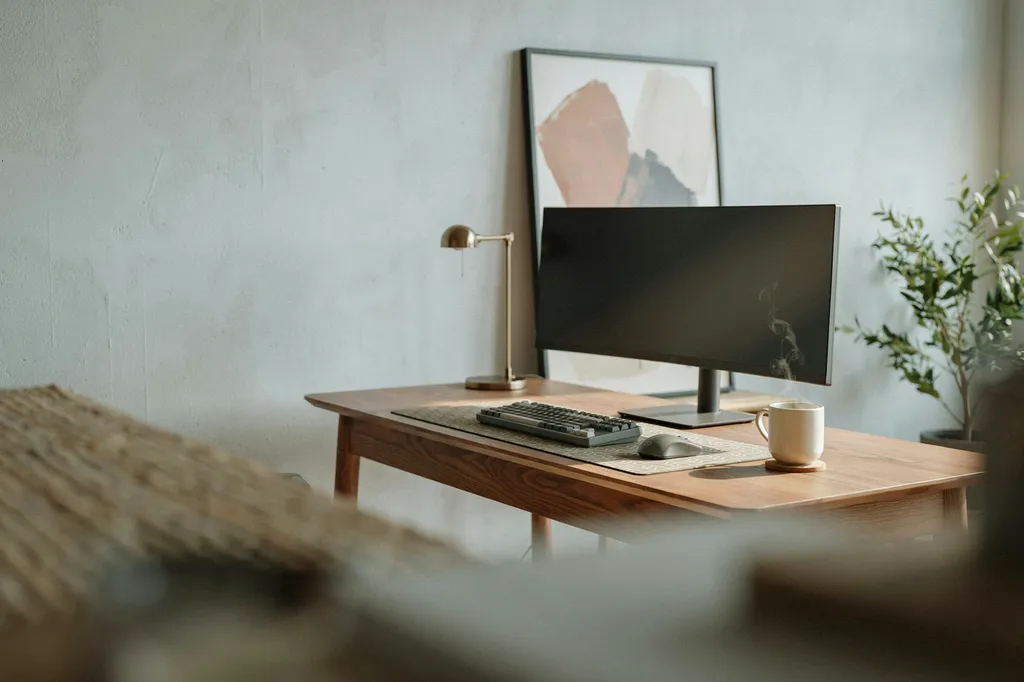
This is the setup for people who game and also have people over. One material palette, two colors plus one accent, and a strict object count on every surface. The screen sits on a plain riser, the tower is out of sight, and the cables run in a single channel. Because there is so little in the room, the one piece of wall art carries the entire personality of the space, which means it has to be something you would defend rather than something that was on sale. Gallery-style work at 18x24 or 24x36 inches, matted and centered, does it.

Quiet enough for a room with three objects in it, specific enough that the one person who gets it will say so.
9. The collector shrine wall
If you own things worth displaying, give them one wall and treat it as a museum case rather than a shelf dump. Two or three shelves at consistent spacing, objects grouped in odd numbers, and a run of framed prints above or beside them to tie the wall together. Keep the objects to one era or one theme, because a shrine to everything reads as a pile. The rule that saves this setup is a hard object limit per shelf, usually four. More on the pixel-era version of this wall: retro gaming room ideas.
How do you build a room around what you actually play?
This is the part the furniture retailers skip entirely, and it is the part that makes a room feel like yours. A room built for open-world exploration should not look like a room built for competitive shooters, because the sessions are different lengths, in different postures, with different lighting needs. Three setups, keyed to how you actually spend your evenings.
10. The map room, for open-world and tabletop RPG players
Long exploration sessions reward a room that feels like a place you set out from. The organizing device is cartography: one large map-style print as the anchor, warm light only, and a physical surface for notes, dice or a controller. If you play tabletop as well, size the table first and the desk second, because a 44 inch round table seats four with elbow room where a 36 inch one does not. Keep the palette to parchment, ink and one accent. It is the one setup where more art is legitimately better, provided every piece belongs to the same visual world.

The wall that makes the room feel like somewhere you set out from. Parchment and ink, built to hang with more of its own kind.
11. The couch co-op room
Built for two to four people in the same room, which changes every measurement. Seating 8 to 10 feet from the screen, a 7 foot minimum seating zone, and a low table within reach of everyone rather than one desk anybody has to lean over. Add coasters, because four people and one wooden table is how surfaces die. Keep the wall art on the side walls rather than behind the screen, where it competes for attention, and pick pieces about shared play rather than solo grinding. This is the room that gets photographed most and planned least.
12. The competitive practice room
Here the decor budget goes into the things that touch your hands and eyes. Screen at arm's length with the top of the display at or just below eye level, chair height set so your forearms sit level, and a bias light behind the monitor to reduce the contrast your eyes fight for three hours. Then one large desk mat, ideally 18x16 inches or wider, so keyboard and mouse share a single surface with consistent friction. Keep the wall behind the screen plain and dark. Everything visual should be quiet so that movement on screen is the only thing that draws your eye.

18x16 inches of one consistent surface under keyboard and mouse. The upgrade you notice daily, unlike the black rectangle it replaces.
What can you build for $100, for $300, or over ten years?
Budget is an order of operations problem, not a taste problem. The same $300 spent in the wrong sequence produces a room that still looks temporary, because lighting and floor clearance change how everything else reads and no amount of decor compensates for skipping them. These three setups are the same room at three stages.
13. The $100 first pass
The cheapest version of a finished-looking room. Roughly $30 on lighting, three warm bulbs or two lamps plus a bias light at 2700K to 3000K. Roughly $25 on getting things off the floor: a cable channel, a shelf, a monitor riser. Roughly $25 on one 18x24 inch anchor print, hung with its center 57 to 60 inches up. The last $20 goes on coasters and a tray so the small objects have somewhere to live. No furniture, no paint, one evening of work, and the room stops looking like a desk in a spare bedroom.
14. The $300 full room
Everything in the first pass, plus the three things that need a bigger check. A quart of dark paint on the single wall your screen sits against, about $45, which makes the monitor stop floating in a bright void. Two floating shelves 24 to 36 inches wide, about $50. A blackout curtain or roller blind, $25 to $40, which is the difference between a room you can use at 2pm and one that only works after dark. Add a large desk mat and two smaller prints and you are at roughly $300 with nothing left to obviously fix.
15. The ten year room
The version you build slowly, where nothing gets replaced because nothing was a compromise. Buy the chair and the desk once, in materials that age rather than scuff. Add art one piece at a time, each one tied to something you actually played, so the wall becomes a record rather than a scheme. Keep one shelf permanently half empty for whatever comes next. The test is simple: in five years, does the room read as a timeline of what you cared about, or as a snapshot of what was trending the month you bought it all?
What makes a gaming room read as yours instead of a showroom?
Seven decisions, and none of them cost more than the generic version. The showroom setup buys three best sellers together, runs color-cycling light on every edge, and puts a black rectangle on the desk. A room that reads as yours puts up one large piece about something you actually played, fixes the light at one warm temperature, and chooses a desk surface on purpose. The giveaway is simple. If a friend walks in and guesses what you play within about five seconds, without asking, the room is doing its job. If the whole setup could be swapped with a stranger's and nobody would notice, it is not. For a wall-by-wall version of this, see what to put on your gaming room walls.
The real problem with most gaming rooms
It is not the budget and it is not the square footage. The internet sold every gaming room the same starter pack: the same color-shifting strip light, the same three mass-produced prints, the same black rectangle on the desk. Mass-produced indifference in gaming decor, beige sameness with a joystick on it. It does not care what you played, who you played it with, or which save file you still think about. That is the whole reason a $2,000 setup can still feel like a rental. The fix is not more stuff. It is one or two things on the wall that are specifically about you, and the discipline to stop there.
Frequently asked questions
What should I have in a gaming room?
A screen, a seat you can sit in for three hours, warm layered lighting instead of an overhead fixture, and one large piece of wall art. After that, anything that gets objects off the floor and the desk: two floating shelves, a large desk mat, coasters, one cable channel. Skip anything that eats floor space for a single purpose until the basics are done.
How to make a good game room?
Work in order. Fix the lighting first with two or three warm sources at 2700K to 3000K. Clear the floor by shelving or wall-mounting anything that does not need to be on it. Hang one anchor print with its center 57 to 60 inches up. Then commit to a single aesthetic and stop. The order matters more than the budget does.
How can I design my gaming room?
Start with the constraint, not the inspiration photo. Measure the usable square footage, decide which wall is your anchor wall, then pick one aesthetic and one color rule of two colors plus an accent. Size the desk and the art to the room using real numbers: 40 to 48 inches of desk in a corner, 18x24 inch art above it, 30 inches clear behind the chair.
How much does it cost to set up a gaming room?
Excluding the PC or console and the chair, $100 to $180 covers a bedroom corner, $250 to $400 covers a spare room, and $500 to $800 covers a basement lounge. A realistic split for the middle tier: $30 lighting, $50 shelves, $45 paint, $35 blackout curtain, $60 wall art, $37 desk mat, the rest on small storage.
What are popular game room trends right now?
Warm layered lighting is replacing wall-to-wall color-cycling LEDs. Cozy and minimal setups are outpacing full neon builds. Gallery-style art walls, three to five framed prints at a consistent center height, are replacing single tacked-up posters. Hybrid rooms that work as an office by day are common, and so is hiding hardware entirely rather than showcasing it.
How to make a simple gaming room?
Buy four things: two warm lamps, one cable channel, one 18x24 inch print, and one large desk mat. Put the lamps low and off to the sides, run every cable through the channel, hang the print with its center 57 to 60 inches up, and let the mat pull the desk into one surface. That is a finished-looking room for around $100 and one evening.
Fifteen setups. One wall that is actually about you.
The piece a friend spots from the doorway and immediately gets. Made on demand, designed to hang together. Your Story, In Everyday Items.
Find Your Art →Made on demand. If a piece does not feel like it speaks your language, we will make it right.
Build the room one decision at a time: browse the RaZits gaming posters, the gaming desk mats, and the rest of the gaming room decor range.

